 English
Documentation
Screens we support
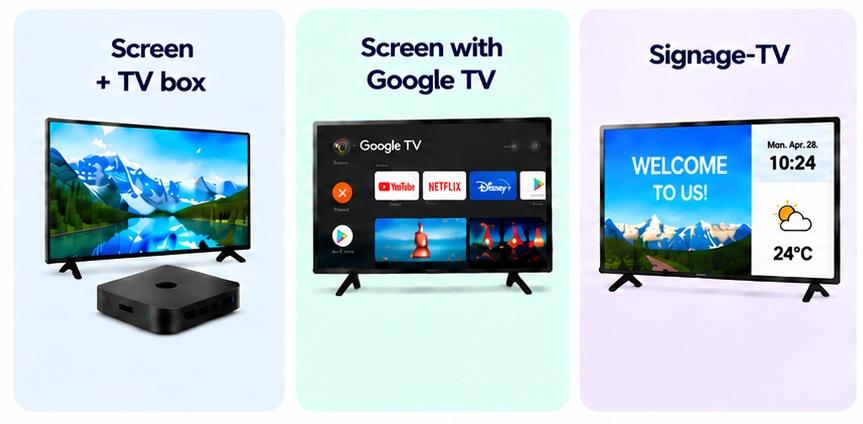
We support 3 ways of screen: older TVs/monitors with a TV box, modern TVs with Google TV, and signage TVs.
The choice of type depends on your needs. If you already have a screen, you can use a TV box. If you need a new one, Google TV is recommended. If you need a solution that runs around the clock—even during power outages—and can be controlled via remote, you should choose a signage TV.
Type | Can automatically start | Price |
|---|---|---|
TV Box | ❌ | < 100$ |
Google TV | ❌ | Low, 200 - 400$ for a 43 inch |
Signage TV | ✅️ | High, > 500$ |
Recommanded models
NB: For eldre TV-er og skjermer bruker vi en TV-boks og en HDMI-kabel til tilkoblingen, så alle skjermer med HDMI-støtte kan brukes på denne måten.
Boxes | Model | Recommand |
|---|---|---|
Xiaomi TV Stick 4K 2nd Gen | MDZ-33-AA | ***** |
Xiaomi TV Stick 4K 1st Gen | MDZ-27-AA (or MDZ-27-EU) | ***** |
Xiaomi TV Stick HD 2nd Gen | MDZ-34-AA | ***** |
Xiaomi TV Stick HD 1st Gen | MDZ-24-AA | ** |
In general, all Google TV and Android TV boxes are supported. We are also adding support for boxes running other operating systems.